Services Overview
Specialist Services
Affordable Virtual Assistant UK Aesthetics Clinics & Salons Car Garages & MOT Centres YouTube Content Creation Email & Inbox Management Appointment & Diary Management Customer Service & WhatsApp Lead Follow-Up Social Media Scheduling
Process Pricing FAQ About the Founder Get Started ☎  07488 864180
YouTube Content Creation

YouTube Content Creation Virtual Assistant

Editing, thumbnails, SEO-optimised titles, uploads and community management handled for you — so you can focus on making the content. UK-trained assistants from £3 per hour.

Why Hire a YouTube Virtual Assistant?

Running a YouTube channel is several jobs at once. You are the presenter, the editor, the designer, the copywriter, the community manager and the analyst — and only one of those is the reason you started.

The result is predictable. Filming stays enjoyable and everything after it becomes a backlog. Videos sit unedited, thumbnails get rushed, titles go up unoptimised, comments go unanswered, and the upload schedule quietly slips from weekly to whenever there is time.

A dedicated YouTube assistant takes the production and admin workload off your plate. Your channel keeps publishing on schedule, the packaging gets the attention it deserves, and your time goes back into the part of the process only you can do.

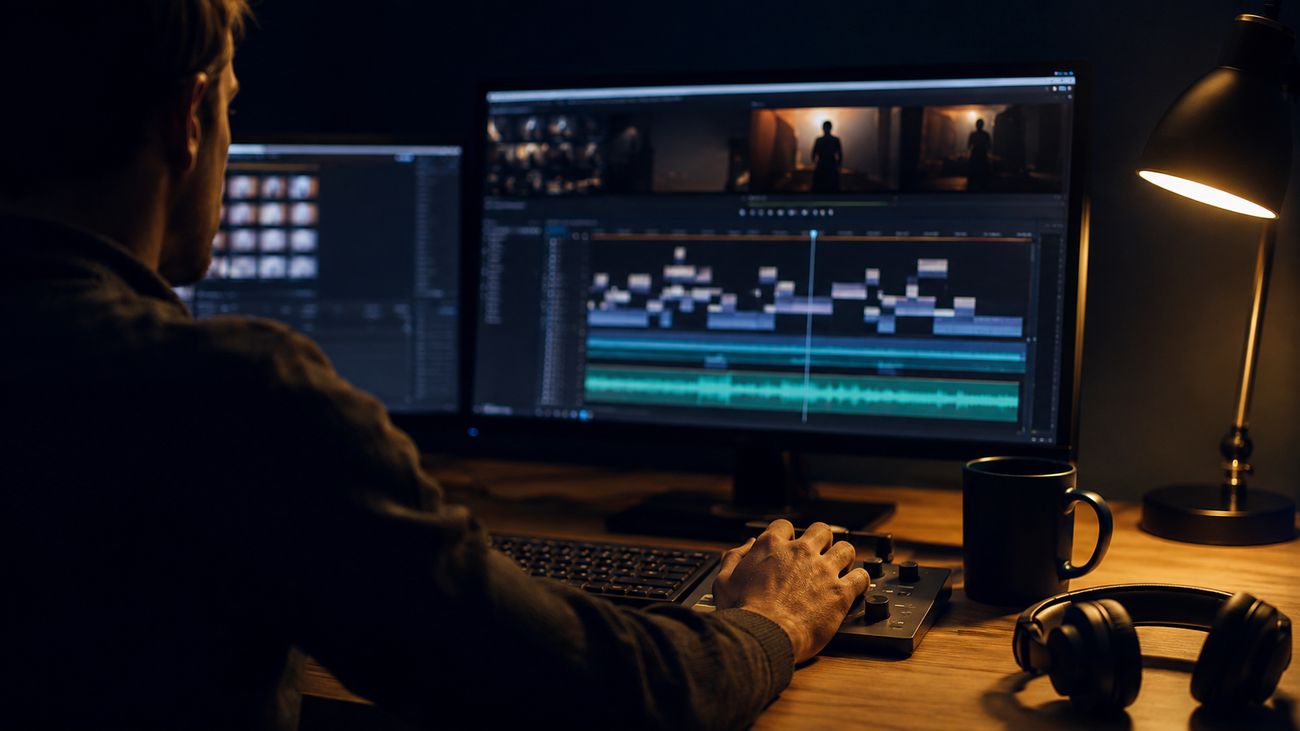
Editor working on a YouTube video timeline
The part of YouTube that eats your evenings.

What Our YouTube Assistant Does

The scope is agreed during onboarding and reflects what your channel actually needs. Typical coverage includes:

Video Editing & Post-Production

Cuts, transitions, captions, colour correction and branding overlays, worked to your documented style and pacing rather than a generic template.

Shorts & Clips Creation

Long videos repurposed into YouTube Shorts, Instagram Reels and TikToks, so one recording session produces a fortnight of short-form content.

Thumbnails & Graphics

Custom thumbnails designed in Photoshop or Canva using your brand assets, prepared as options for your approval and checked for legibility at small sizes.

Titles, Descriptions & Tags

Keyword research using tools such as TubeBuddy or vidIQ, then titles and descriptions written around two or three target terms per video.

Upload & Scheduling

End-to-end publishing in YouTube Studio — uploads, end screens, cards, playlists, premieres and scheduled release times, run against a publishing checklist.

Community Management

Comments monitored and answered in your tone of voice, spam moderated, and anything that looks like a brand enquiry escalated to you rather than answered.

Analytics & Reporting

A regular plain-language summary pulled from YouTube Analytics: views, watch time, subscriber growth, which videos performed and what to make more of.

Consistency Is What Grows Channels

Most channels do not stall for lack of ideas. They stall because the workload after filming becomes unsustainable, and the algorithm rewards regular publishing far more reliably than the occasional standout video.

A dedicated assistant keeps the production line moving: footage edited, thumbnails ready, titles researched, uploads scheduled. Batch preparation also improves quality — a thumbnail designed calmly with three options to choose from is usually better than one made in the ten minutes before publishing.

Compared with hiring a UK freelance editor for editing alone, a full-time assistant covers the whole channel operation — editing, packaging, optimisation, publishing, community and reporting — at a fraction of the hourly cost.

If short-form is a major part of your strategy, our social media scheduling service covers the wider content production workflow including AI-assisted imagery and video, cross-platform scheduling and DM automation.

Designing an eye-catching YouTube thumbnail
Thumbnails designed properly, with options — not rushed before publishing.

How It Works

01
Consultation & matching

We discuss your channel, your upload rhythm and which parts of the workflow you want to hand over, then match you with a UK-trained assistant suited to the work.

02
Onboarding & training

Your assistant learns your editing style, brand assets and tools, and channel access is set up through YouTube's own permissions system so you retain ownership.

03
Ongoing workflow

Your assistant works the agreed cycle — editing, thumbnails, optimisation, uploads and community — with regular check-ins and a documented approval process.

04
Scaling up

Hours and tasks adjust as the channel grows, or as you add a second channel or brand to the same documented system.

Pricing

Our published rate is £3 per hour for full-time support of 40 or more hours per week. That works out at £120 per week, or £480 across four weeks.

Need fewer hours? Contact us with your channel's requirements and we will provide a custom quote, doing our best to get as close to £3 per hour as the arrangement allows. Many creators combine channel work with other tasks — inbox management, scheduling, general admin — to make up a full-time role.

There are no long-term contracts. Arrangements are agreed weekly and scale with your output. Full details are on our affordable virtual assistant plans page.

Frequently Asked Questions

What tasks can a YouTube virtual assistant do?

A YouTube assistant can cover the full publishing workflow: video editing and post-production, creating Shorts and clips from long-form content, designing thumbnails, researching keywords and writing titles, descriptions and tags, managing uploads and scheduling in YouTube Studio, moderating and replying to comments, and producing regular analytics reports. The exact scope is agreed during onboarding.

Can my assistant edit videos?

Yes. Assistants cover cuts, captions, basic motion graphics, audio clean-up and repurposing long videos into short-form clips. The realistic expectation is competent editing worked to a documented style, not the output of a specialist post-production house. For advanced motion design we will tell you honestly if it is outside scope.

Which tools do your assistants use?

Common tools include Premiere Pro, DaVinci Resolve, CapCut, Photoshop and Canva for production, TubeBuddy or vidIQ for keyword research, and YouTube Studio for publishing. Assistants work in whichever tools your channel already uses — tell us your setup during onboarding.

Do I keep ownership of my channel and content?

Always. Channel access is granted through YouTube's own permissions system rather than by sharing your password, so you can see exactly what access has been given and remove it at any time. Everything produced for you belongs to you.

How many hours will I need?

It depends on how much you publish and how much of the workflow you delegate. A channel posting weekly with editing, thumbnails, optimisation and community management included typically fills a substantial part of a week. Channel work is often combined with other tasks — inbox, scheduling, admin — to make up a full-time role.

How much does a YouTube virtual assistant cost?

Our rate is £3 per hour for full-time support of 40 or more hours per week. For fewer hours we provide a custom quote and do our best to get as close to £3 per hour as possible. For comparison, UK freelance video editors commonly charge in the region of £20 to £40 per hour, though this varies considerably by experience and specialism.

How do I communicate with my assistant?

Whatever suits you — email, WhatsApp, Slack, Trello or a shared drive. Most clients settle on a simple rhythm: a weekly planning message, a shared folder for footage and drafts, and a quick daily check for anything urgent. Assistants work UK business hours, 9am to 5pm GMT or BST.

How do I measure whether it is working?

Two ways. First, the analytics reports your assistant produces — views, watch time and subscriber growth over time. Second, and more practically, the hours you get back and whether your upload schedule actually holds. Consistency is usually the clearest early signal.

How quickly can my assistant start?

Onboarding can normally be completed within 48 hours. Founder Daniel Pozzebon personally handles onboarding, covering your channel, style, tools, approval process and access before any work begins.

Related Services

Ready to Get Started?

Book a free consultation and we will match you with your YouTube assistant, normally within 48 hours. No long-term contracts — scale as your channel grows.

Chat With Us